Map scripting
After a long break in writing here I'm back again, and the project has taken some nice steps forward. We have been researching useful scripting languages for map scripting. This process isn't what I'm most interested in, nor does it produce cool images, so I haven't been too motivated to write about it before. I will now, shortly.
To implement complex behaviour in maps we need to use some scripting language. Common scripting languages include Javascript, Lua and Python, among others. These all have been good candidates for us.
At first I took a look at embedding Python into a C++ program. Python's micromanagement of resources, like manually incrementing and decrementing reference counters, looked shuddering. It's also a rather slow language, typical efficiency (compared to C) being around 1/200th.
I had also heard horror stories about people needing ridiculous optimizations in their Lua scripts to get even decent speed. On the other hand, Google's Chrome is one of the fastest web browsers out there when it comes to Javascript. And Google's Javascript engine, V8, is out there for free. And it natively supports C++ too. Javascript by itself isn't a dirty language either. Sounds like a dream, no?
I took some time to experiment with it. I wrote wrappers to understand it better, experimented with it, made test APIs and tools and other small libraries for it. It worked somewhat, but I ended up rewriting stuff too many times, trying to find a clean general solution for my needs.
There wasn't too much documentation for the new V8 library yet so I ended up having lots of trouble and frustration with it. I had gotten it to work, even in a way that would be useful for a small project, but I couldn't get it clean enough to use in a large game, without the frustration of having to cope with dirty code.
On top of that, when trying to compile Sad Umbrella for Arch Linux, it then appeared that the V8 release didn't even compile; it had constructs in the source code that weren't supported by the newest GCC version. Maybe they have fixed it by now, maybe not, but that wasn't the only Linux distribution having problems with V8. Many other people reported difficulties getting V8 from their Linux distribution's repositories, and it would be almost impossible to get V8 for a handheld device. If we ever decided to port the game for one.
I feel the library is still too immature for actual use by 3rd parties.
Showing posts with label sad umbrella. Show all posts
Showing posts with label sad umbrella. Show all posts
Monday, July 26, 2010

Saturday, April 17, 2010
2010-04-18. Emission maps
Terrain generation from a height map
I spent some time pondering how to implement terrain to the engine. The choices were either heightmap-based or tile-based terrain. Tiles fit the engine better but our modeler already has enough work... We'd need a second modeler I guess.
The initial plan was to support multiple levels of detail (LOD) and draw areas farther away with less triangles. But I also wanted the terrain to have adaptive precision. Combining these two proved to be quite tricky.
Here are some results of the tessellation algorithm I wrote. The sand castle is only a test to see how the algorithm does. No castles like this in the real game, done with a heightmap at least.

The results are quite nice. This is the same with real shading:

Sadly, with adaptive terrain it's not easy to make the level of detail changes seamless. There would be unacceptable artifacts, pixels of the sky seen through artifacts in the height map. No wai.
Edges again!
Someone complained about the jaggy edges in the pictures. HDR rendering requires rendering to texture but rendering to texture with high precision doesn't support Multisample Anti-Aliasing (MSAA). This means there's not much I can do without a huge cost, like using Fullscreen Anti-Aliasing.
There is still hope, though. An OpenGL extension named GL_EXT_framebuffer_multisample could possibly save the situation. I must take another look at it later.
Inspired by the complainment aboud jaggy edges I decided to try enabling the edges again. Jagginess still persists but it might be a bit better.

Light bleeding
If you take a close look in the fullscreen version of the picture above you can see that the shadows aren't as soft as they used to be. This is because I encountered horrible light bleeding with the variance shadows. You can see some of it in the image below. Please don't mind the burnt terrain, it was a bug in the terrain normals.

Now this doesn't look much like a shadow, does it? This is why I replaced the shadows with a quick implementation of Percentage-Closer Shadows (PCF).
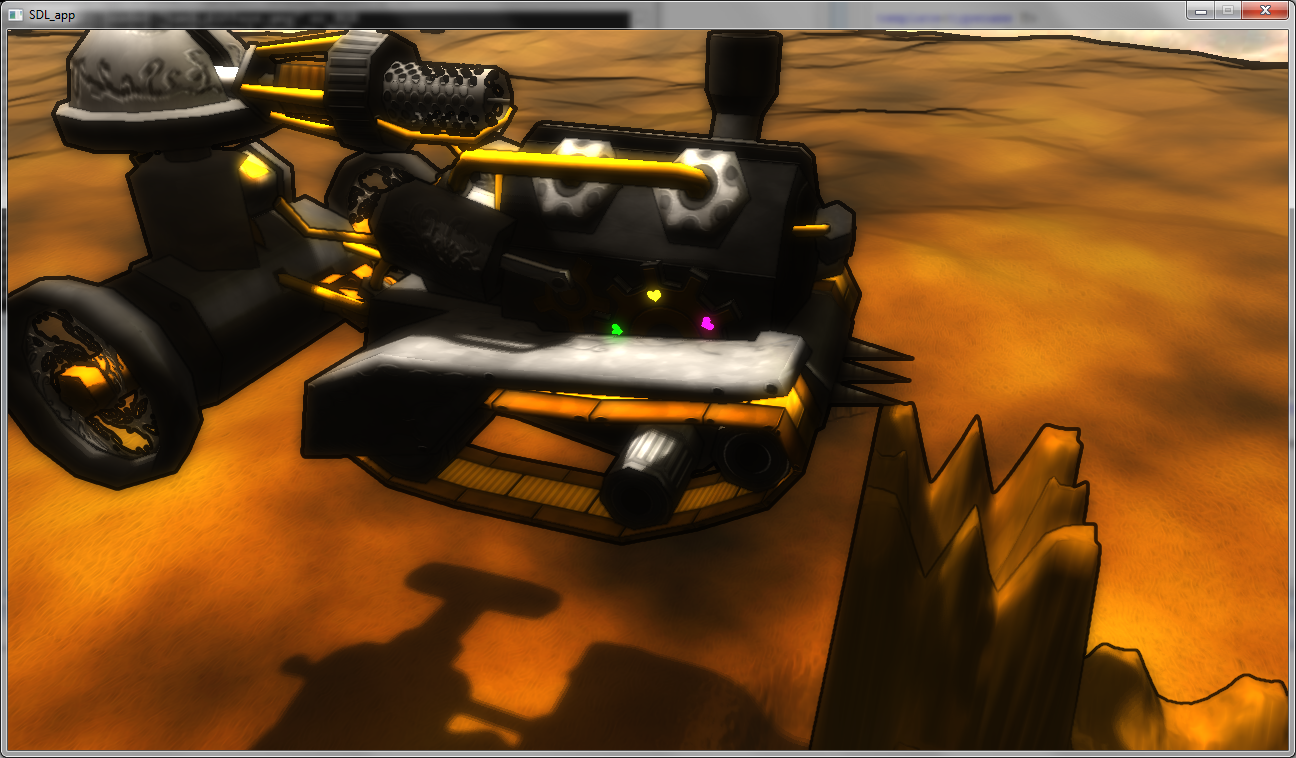
Emission textures
I watched some demos from Breakpoint 2010. One of them had very impressive lighting effects. I wondered if I could produce similar effects too.
This effect is done by giving a material a high emission factor so that it is self-lit. Now that its color is very bright the bloom filter of HDR rendering gives it a nice halo, making it look very bright.
Our modeler, Juutis, had been asking for specular maps for some time. I hadn't implemented them yet since there were no free channels in our textures. But now I needed another channel for emission so it was clear that I needed to replace the traditional material-wide properties with an emission-specular-diffusion map.
Here are a few samples with some temporary hearts and a lit warning label. ;)


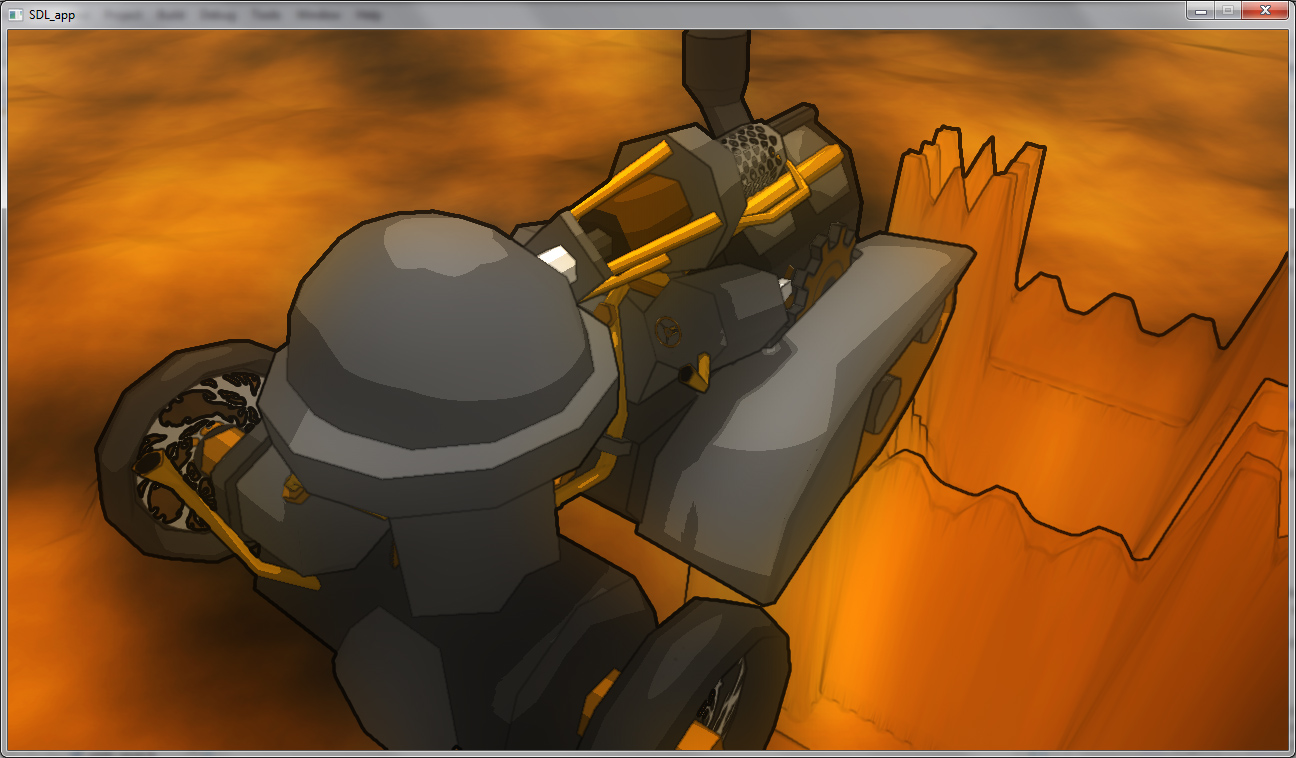
Cel-shading?
I took some time to play around with cel-shading. I'm not sure how well it fits a HDR rendering system, but at least I figured that cel-shading systems need a huge amount of parameter tweaking to get them to work in different lighting options.
I don't find these results very pleasing but I thought it would still be fun sharing them. But this is not the direction we'll be taking in the near future.


I spent some time pondering how to implement terrain to the engine. The choices were either heightmap-based or tile-based terrain. Tiles fit the engine better but our modeler already has enough work... We'd need a second modeler I guess.
The initial plan was to support multiple levels of detail (LOD) and draw areas farther away with less triangles. But I also wanted the terrain to have adaptive precision. Combining these two proved to be quite tricky.
Here are some results of the tessellation algorithm I wrote. The sand castle is only a test to see how the algorithm does. No castles like this in the real game, done with a heightmap at least.
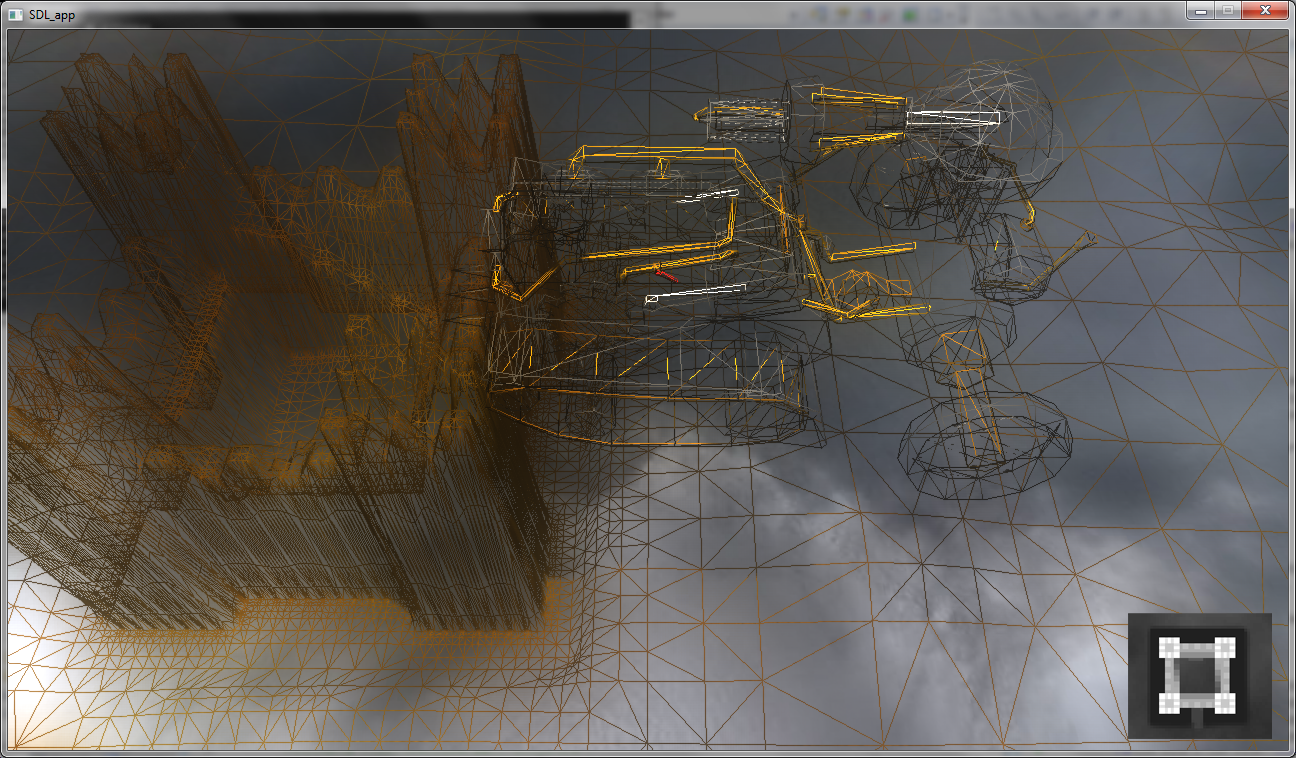
The results are quite nice. This is the same with real shading:
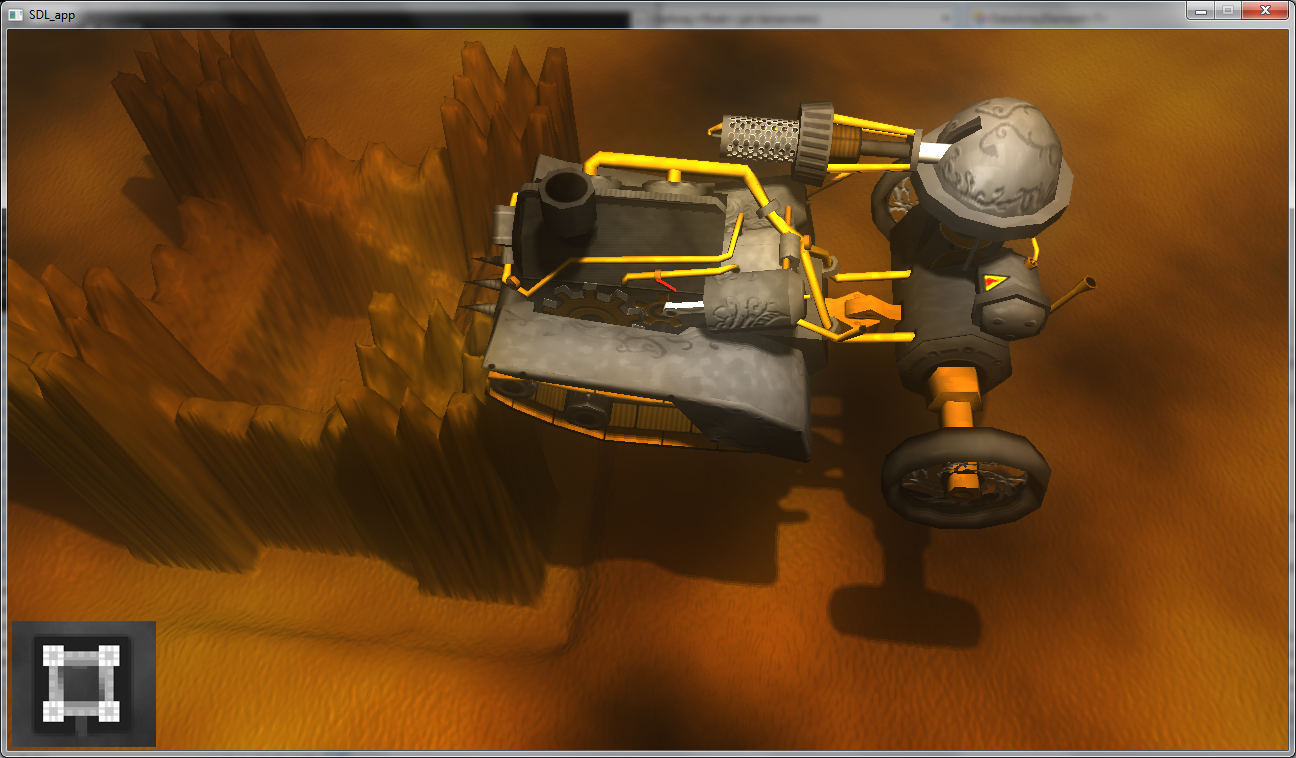
Sadly, with adaptive terrain it's not easy to make the level of detail changes seamless. There would be unacceptable artifacts, pixels of the sky seen through artifacts in the height map. No wai.
Edges again!
Someone complained about the jaggy edges in the pictures. HDR rendering requires rendering to texture but rendering to texture with high precision doesn't support Multisample Anti-Aliasing (MSAA). This means there's not much I can do without a huge cost, like using Fullscreen Anti-Aliasing.
There is still hope, though. An OpenGL extension named GL_EXT_framebuffer_multisample could possibly save the situation. I must take another look at it later.
Inspired by the complainment aboud jaggy edges I decided to try enabling the edges again. Jagginess still persists but it might be a bit better.

Light bleeding
If you take a close look in the fullscreen version of the picture above you can see that the shadows aren't as soft as they used to be. This is because I encountered horrible light bleeding with the variance shadows. You can see some of it in the image below. Please don't mind the burnt terrain, it was a bug in the terrain normals.
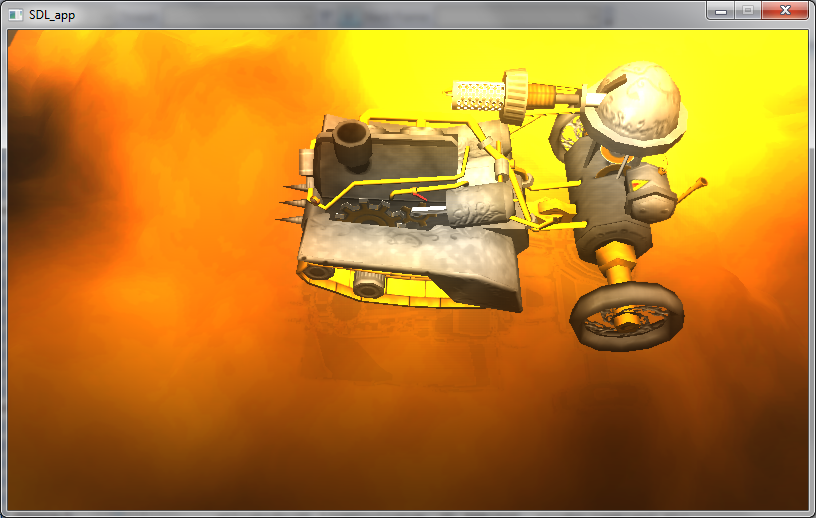
Now this doesn't look much like a shadow, does it? This is why I replaced the shadows with a quick implementation of Percentage-Closer Shadows (PCF).
Emission textures
I watched some demos from Breakpoint 2010. One of them had very impressive lighting effects. I wondered if I could produce similar effects too.
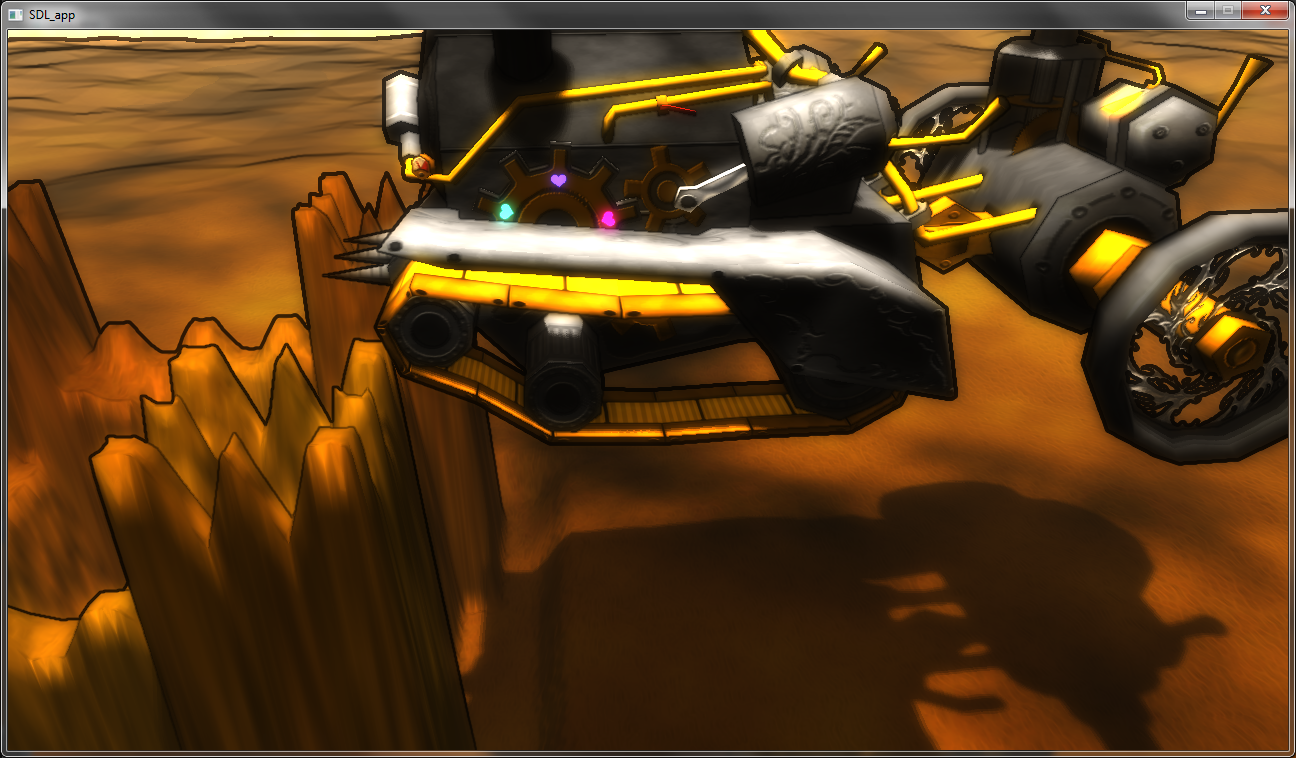
This effect is done by giving a material a high emission factor so that it is self-lit. Now that its color is very bright the bloom filter of HDR rendering gives it a nice halo, making it look very bright.
Our modeler, Juutis, had been asking for specular maps for some time. I hadn't implemented them yet since there were no free channels in our textures. But now I needed another channel for emission so it was clear that I needed to replace the traditional material-wide properties with an emission-specular-diffusion map.
Here are a few samples with some temporary hearts and a lit warning label. ;)
Cel-shading?
I took some time to play around with cel-shading. I'm not sure how well it fits a HDR rendering system, but at least I figured that cel-shading systems need a huge amount of parameter tweaking to get them to work in different lighting options.
I don't find these results very pleasing but I thought it would still be fun sharing them. But this is not the direction we'll be taking in the near future.

Monday, April 5, 2010
2010-04-05. Death to the bottlenecks
Larger VBOs for speed, yes?
While playing with the engine I noticed the steamtank looked possibly better without the dark edges so I took them off. I may put them back later though. We'll probably play around here quite a bit.
So here I was at 20 fps with a cool Steamtank. I decided to add another tank and boom, frame rate was down at 10 fps. Huh? For other computers this didn't affect the frame rate at all. Yummy.
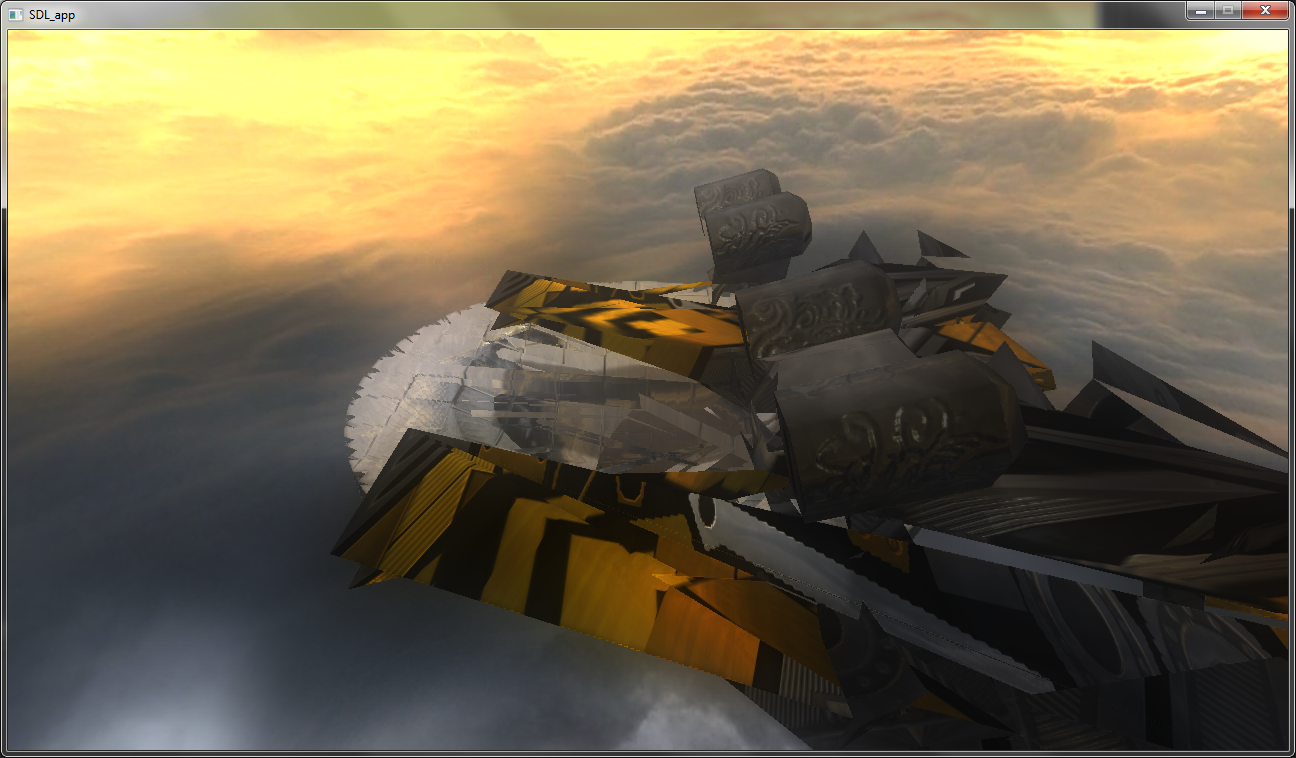
At the moment I was using Vertex Buffer Objects of size of one mesh each, where by mesh I mean a part of model that consists of a single material. I have read that the VBO size should be kept between around half and two megabytes. Mine were closer to few dozen kilos, so maybe this was a source of slowness? I went and combined the VBOs.
Here's a screenshot I took while the process wasn't quite ready yet.

Got it ready and, oh the speed increase. Frame rate had dropped from 10 to 5 per second. Software fallback? Too large VBOs? Pfft.
No software fallback for me, please
The size of my vertex information was 76 bytes per vertex. It had vertex position, vertex normal, vertex tangent, four joint IDs and four joint weights for skeletal animation. It's said that this number should be a multiple of 32 bytes for best performance. Our model was using at most two vertex weights so we thought three vertex weights should be enough, saving 8 bytes. As the sum of the vertex weights has to be one, I could calculate the third one from the remaining two in the vertex shader. I had reached the goal of 64 bytes.
No significant performance increase.
Then something caught my eye. Everything else in the vertex information was floating point numbers but the joint numbers were integers... Like they naturally should be. I vaguely remembered that for optimal performance only floats should be used here, but at the time I read this I didn't pay too much attention to it. I tried changing them to floats and boom, the program was running at 45 frames per second. Huh!
Apparently the graphics hardware didn't support integer parameters in the vertex structure so it resorted to software fallback instead... Vertex shaders in software, no thanks.
Here's a video capture of the engine running at 40 fps on HD 4650 Mobility with resolution 1280x720.
Oh and by the way, toggling larger VBOs increases the frame rate by around one frame per second.
While playing with the engine I noticed the steamtank looked possibly better without the dark edges so I took them off. I may put them back later though. We'll probably play around here quite a bit.
So here I was at 20 fps with a cool Steamtank. I decided to add another tank and boom, frame rate was down at 10 fps. Huh? For other computers this didn't affect the frame rate at all. Yummy.
At the moment I was using Vertex Buffer Objects of size of one mesh each, where by mesh I mean a part of model that consists of a single material. I have read that the VBO size should be kept between around half and two megabytes. Mine were closer to few dozen kilos, so maybe this was a source of slowness? I went and combined the VBOs.
Here's a screenshot I took while the process wasn't quite ready yet.
Got it ready and, oh the speed increase. Frame rate had dropped from 10 to 5 per second. Software fallback? Too large VBOs? Pfft.
No software fallback for me, please
The size of my vertex information was 76 bytes per vertex. It had vertex position, vertex normal, vertex tangent, four joint IDs and four joint weights for skeletal animation. It's said that this number should be a multiple of 32 bytes for best performance. Our model was using at most two vertex weights so we thought three vertex weights should be enough, saving 8 bytes. As the sum of the vertex weights has to be one, I could calculate the third one from the remaining two in the vertex shader. I had reached the goal of 64 bytes.
No significant performance increase.
Then something caught my eye. Everything else in the vertex information was floating point numbers but the joint numbers were integers... Like they naturally should be. I vaguely remembered that for optimal performance only floats should be used here, but at the time I read this I didn't pay too much attention to it. I tried changing them to floats and boom, the program was running at 45 frames per second. Huh!
Apparently the graphics hardware didn't support integer parameters in the vertex structure so it resorted to software fallback instead... Vertex shaders in software, no thanks.
Here's a video capture of the engine running at 40 fps on HD 4650 Mobility with resolution 1280x720.
Oh and by the way, toggling larger VBOs increases the frame rate by around one frame per second.
Friday, April 2, 2010
2010-03-28. HDR Rendering
Sobel filters
Last night before I went to bed I read about the so called sobel operator that is often used to find edges in images in programs like Photoshop. The filter basically gives every pixel a number that is large for large differences
in adjacent pixels. This was a very easy algorithm to implement.
Running the filter against image data would be a bad idea though. To find the edges I had extracted the shape of the surface (normals and depth values) from the partially rendered image. When I run the sobel filter against this data I get large values wherever there is a jump in the shape. Exactly what I want!
But this gives equally sized edges everywhere and to be honest it looks quite bad. Fortunately the values of the sobel filter often go much above 1 which is the maximum I can use. I figured if I blur these values I get wider edges where the shape had larger jumps.
HDR rendering
Today I read some papers about High Dynamic Range imaging. Be sure to see some images Google gives when asked for "HDR", they're very cool. The idea is that normally every pixel rendered has to have color values between 0 and 1 and this leaves the image very flat. The sun can be dozens of times brighter than a room so they simply don't fit in the same range.
To fix this the scene is first rendered without this cramping restriction. Only after everything has been drawn completely to a texture, with color values more like between 0 and 100, the image is downscaled back to between 0 and 1 by some curve. This gives a very satisfying result, though finding a curve good enough takes time.
...
Oh and by the way, the fps I get on this laptop keeps going down. A few days ago I was still 60. Then I added soft shadows, rendering normals and depths to textures and all kinds of post processing effects like HDR rendering.
Everyone of those rendering phases basically takes 2 to 5 fps down. Now I'm at 20. I hope I won't need any more ;)
Last night before I went to bed I read about the so called sobel operator that is often used to find edges in images in programs like Photoshop. The filter basically gives every pixel a number that is large for large differences
in adjacent pixels. This was a very easy algorithm to implement.
Running the filter against image data would be a bad idea though. To find the edges I had extracted the shape of the surface (normals and depth values) from the partially rendered image. When I run the sobel filter against this data I get large values wherever there is a jump in the shape. Exactly what I want!
But this gives equally sized edges everywhere and to be honest it looks quite bad. Fortunately the values of the sobel filter often go much above 1 which is the maximum I can use. I figured if I blur these values I get wider edges where the shape had larger jumps.
HDR rendering
Today I read some papers about High Dynamic Range imaging. Be sure to see some images Google gives when asked for "HDR", they're very cool. The idea is that normally every pixel rendered has to have color values between 0 and 1 and this leaves the image very flat. The sun can be dozens of times brighter than a room so they simply don't fit in the same range.
To fix this the scene is first rendered without this cramping restriction. Only after everything has been drawn completely to a texture, with color values more like between 0 and 100, the image is downscaled back to between 0 and 1 by some curve. This gives a very satisfying result, though finding a curve good enough takes time.
...
Oh and by the way, the fps I get on this laptop keeps going down. A few days ago I was still 60. Then I added soft shadows, rendering normals and depths to textures and all kinds of post processing effects like HDR rendering.
Everyone of those rendering phases basically takes 2 to 5 fps down. Now I'm at 20. I hope I won't need any more ;)
Subscribe to:
Posts (Atom)